Wall Street Waifus
Desk
Your Yuna's operating station
Every Yuna has her own Workstation.
Each desk reflects the current configuration of that Yuna.
Every Workstation belongs to a specific Yuna. Switching Yunas means switching desks, configurations and inventories.
Around the Office
The office acts as the navigation layer for your Yuna's Workstation.
Each station inside the room connects to a different part of her setup.
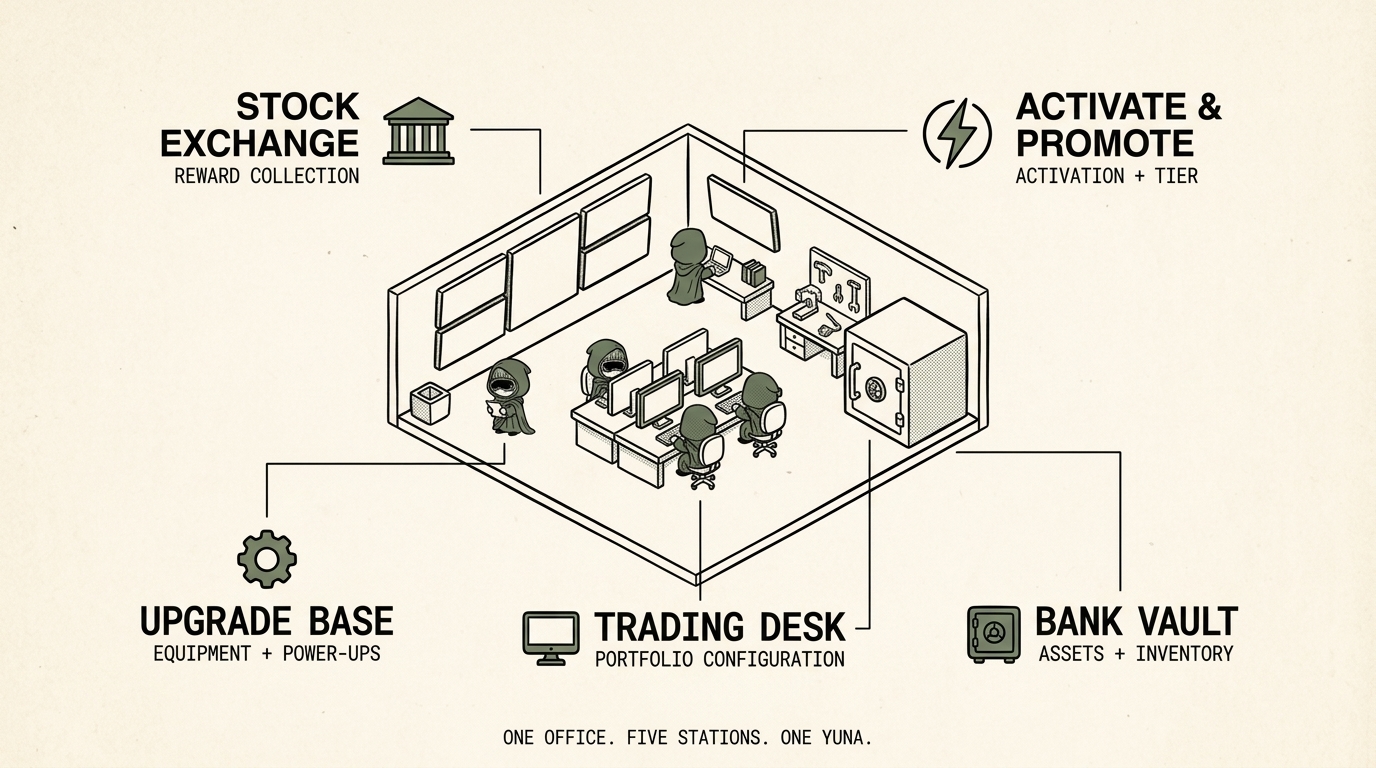
Each station opens the corresponding control surface for the Yuna currently at the desk.
Stock Exchange
The Stock Exchange is where a Yuna checks her working status and collects available rewards.
When a Pay Day allocation is available for that Yuna, it can be collected from here.
See: Pay Day
Trading Desk
The Trading Desk controls the Yuna's Stock Token portfolio.
See: Trading Desk
Example Portfolio Configuration
Stock Selection = determines what waifus is positioned to earn
Allocation = determines how waifus portfolio is divided
Activate & Promote
Activate & Promote manages the Yuna's Activation Tier and Weight Multiplier.
See: Activate
See: Promotion
Upgrade Base
The Upgrade Base manages the Power-Ups assigned to a Yuna's setup.
See: Equipment
An item can belong to a Yuna without being equipped. Upgrade Base determines which available Equipment is actively assigned to her office.
Bank Vault
The Bank Vault provides access to the assets held by the Yuna's token-bound account.
Supported assets can be viewed here, including Stock Tokens, Power-Ups, $WAIFUS and other supported onchain assets. Where supported, assets can also be deposited into or withdrawn from the Yuna's ERC-6551 account.
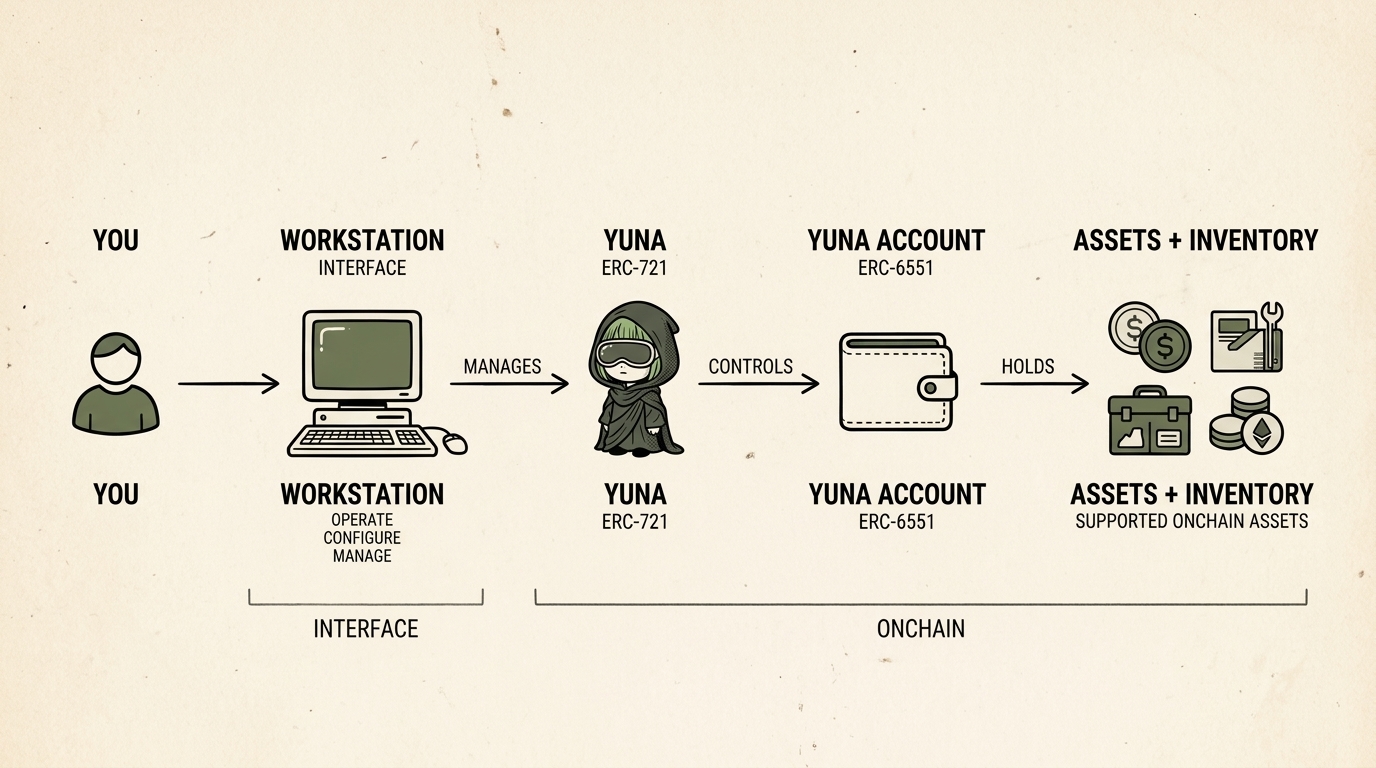
Desk vs. Account
The Workstation and the Yuna's token-bound account serve different roles.
The Workstation is the interface used to operate the Yuna. It brings together the controls for Activation, portfolio, Power-Ups, rewards and inventory.