Flywheel
Portfolio
Build your Yuna's book
Every Yuna can configure a portfolio of up to three supported Stock Tokens.
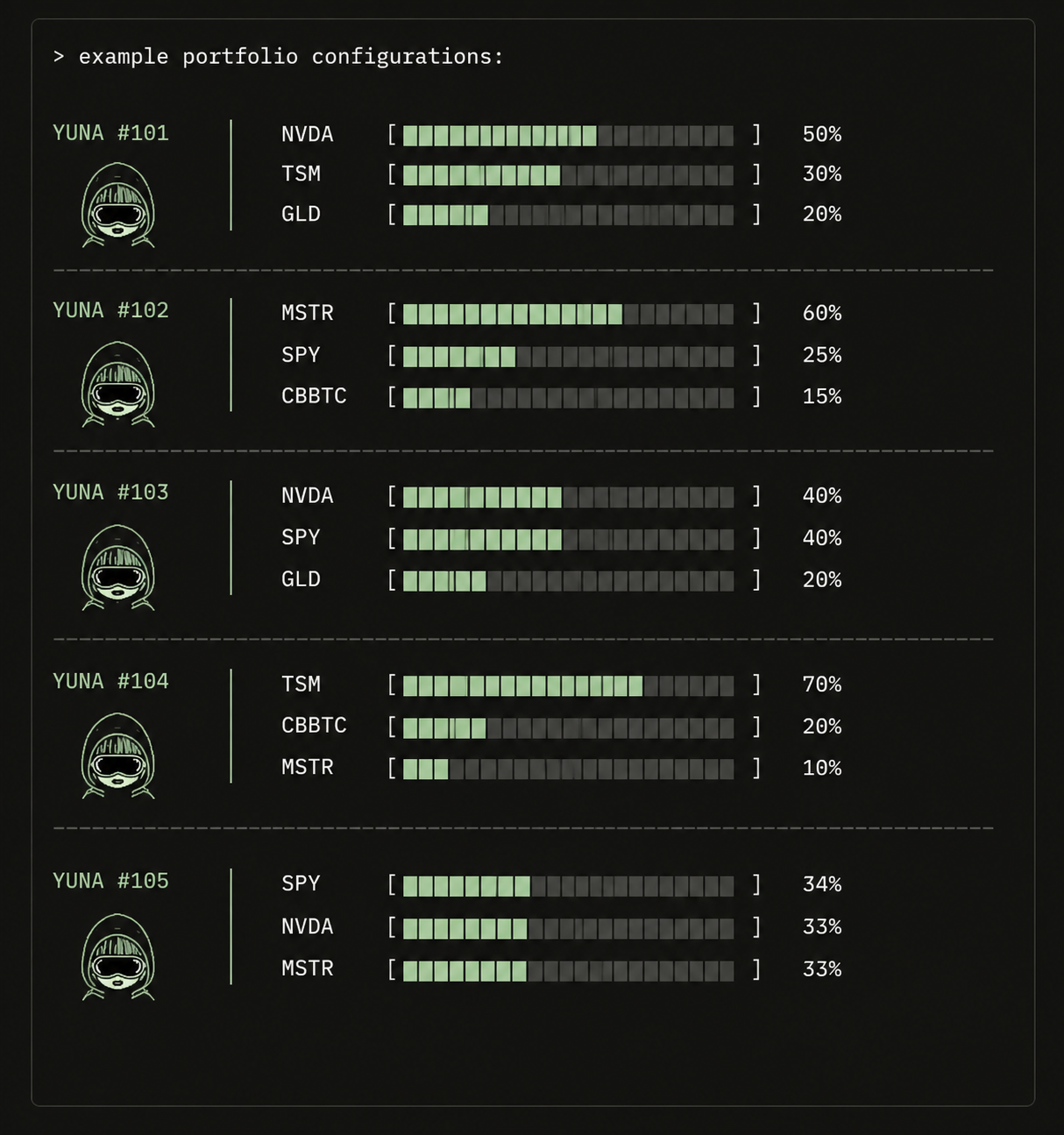
Portfolio Selection
Selections determine which Stock Tokens the Yuna is positioned to receive when eligible rewards are routed through Pay Day.
Portfolio selection belongs to the Yuna, not the wallet that owns her.
Two Yunas owned by the same wallet can maintain different portfolio selections.
.jpeg)
Building Her Portfolio
Portfolio configuration takes place at the Trading Desk.
Select the Yuna you want to configure, choose up to three supported Stock Tokens and confirm the portfolio.
TRADING DESK

SELECT YUNA
    ↓
SELECT UP TO 3 STOCK TOKENS
    ↓
REVIEW PORTFOLIO
    ↓
CONFIRM
    ↓
PORTFOLIO ACTIVE
Different Yunas. Different Books.
Portfolio configuration belongs to the individual Yuna.
Yunas under the same owner can maintain completely different Stock Token selections.
For example:
PORTFOLIO BOOK

YUNA A    NVDA / TSLA / AAPL
YUNA B    MSFT / META / AMZN
YUNA C    AAPL / TSLA / NVDA
Each Yuna runs her own book, allowing a single owner to manage different Stock Token strategies across their workforce.
Weight vs. Portfolio
Weight and portfolio control different parts of a Pay Day.
Weight determines a Yuna's relative share of an eligible distribution.
Portfolio determines which selected Stock Tokens she is positioned to receive.
WEIGHT       RELATIVE SHARE
PORTFOLIO    WHICH STOCK TOKENS
Portfolio vs. Inventory
A portfolio is a configuration. Inventory is what the Yuna actually holds.
Selecting a Stock Token positions the Yuna to receive that asset through eligible Pay Day distributions. It does not place the Stock Token into her account.
Stock Tokens already held by the Yuna remain in her account even if her portfolio later changes.
PORTFOLIO
WHAT SHE IS POSITIONED TO RECEIVE

              ↓ PAY DAY

INVENTORY
WHAT SHE ACTUALLY HOLDS
Changing Your Portfolio
A Yuna's portfolio can be reconfigured from the Trading Desk.
Changes apply to future eligible distributions. Stock Tokens or other assets already held by the Yuna's token-bound account are unaffected.
Once confirmed, the new portfolio becomes the Yuna's active configuration.
New Management
Portfolio configuration belongs to the current ownership period.
If the Yuna changes owners, her portfolio selection clears. Stock Tokens and other assets held by her token-bound account remain with the Yuna.
After Activation, the new owner can configure a new portfolio from the Trading Desk.
See: Yuna
‹PreviousWaifus 101NextPay Day›